Reconfigure or Replace Your Review Card Link?
Short answer: if the card, tag or stand is physically fine and the only thing that changed is where the link should point, reconfiguring the destination is almost always the better call. Replacement makes sense when the hardware itself is the problem - a cracked stand, a worn sticker, a locked chip, or a printed code that hard-codes the old address. The deciding factor is not how old the product is; it is whether the link can still be pointed somewhere new.
- Destination changed but the product is intact? Reconfigure the link rather than reorder.
- NFC chips can usually be re-encoded; a printed QR only changes destination if it points at a managed redirect.
- Replace when the item is damaged, the chip is locked, or the artwork itself is out of date.
- Before buying, ask exactly how the configured destination is changed later.
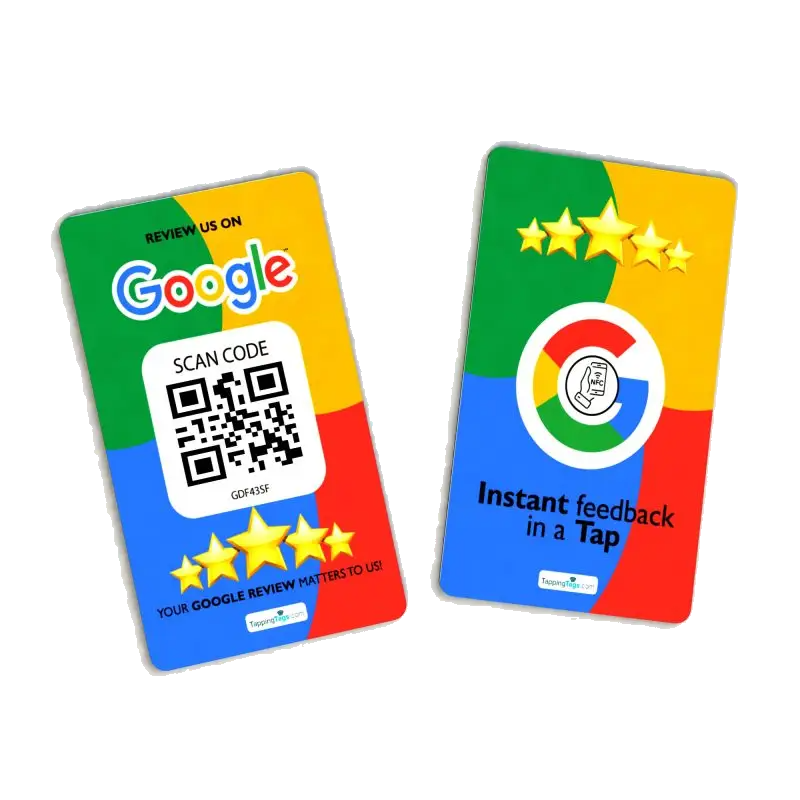
- TappingTags products open a configured review destination with a tap or scan, and customers still choose whether and what to post.
What "Configurable" Actually Means
There are two separate things on a tap-or-scan product, and they fail in different ways. The NFC chip stores a web address electronically, which is why it can normally be re-encoded - unless the chip was write-locked on purpose. The QR code is printed artwork, so the ink never changes.
That makes the important question about a QR code simple: what does it encode?
- A raw review URL - the destination is baked into the print, so a new destination means new artwork.
- A managed redirect URL - the printed code stays the same and the destination behind it is updated.
- A shortened third-party link - workable, but you are depending on whoever controls that short domain.
TappingTags cards, tags and stands open a configured review destination on compatible phones, which is exactly the scenario this comparison is about: the physical item at your counter is not the thing that needs to change when your listing does.
Reconfiguring the Link vs Replacing the Product
| Criteria | Reconfiguring the link | Replacing the product |
|---|---|---|
| Cost | No new hardware - you are changing a setting, not buying an object | The price of a new card, tag or stand, plus shipping, for every placement you own |
| Timeline | Minutes once you have the correct destination URL in hand | Order, production and delivery time before anything sits back on the counter |
| Longevity | Repeatable - the same item survives future listing changes, platform switches and rebrands | Fresh item and fresh print, but the same reprint problem returns if the new code is hard-coded again |
| When it makes sense | Hardware is intact and only the destination moved | Cracked acrylic, peeling sticker, locked chip, or printed artwork that no longer matches the business |
Which Is Right for You
Work through the triggers below rather than guessing. Each one points firmly in one direction.
- You moved, merged or renamed your Google listing - reconfigure. The physical item is unaffected.
- You switched to a different review platform - reconfigure, if the destination is changeable. This is the single most common reason owners assume they need a reorder and do not.
- The chip is write-locked - replace the item, or lean on the QR side if it routes through a redirect you control.
- The stand is chipped or the sticker will not sit flat - replace. A tap target customers hesitate to touch is a dead tap target.
- You rebranded and the printed look is wrong - replace, because artwork cannot be reconfigured.
- You are adding a second counter or a new location - that is not a repair-or-replace decision at all; it is simply another placement.
One practical point: these are not exclusive. Plenty of businesses reconfigure the link today to stop losing taps, then order replacements on a normal timeline for the one or two placements that are genuinely worn.
Before You Buy: Questions That Save a Reprint
If you are shopping now rather than fixing something, these questions decide whether you ever face this choice again.
- How is the configured destination changed after purchase, and who does it?
- Is the NFC chip left writable or locked?
- Does the printed QR code point at the raw review URL or at a redirect?
- Is there any ongoing cost? With TappingTags the physical product is a one-off purchase with no subscription required.
Keep the Counter Working
If your hardware is sound, start by confirming the right destination and updating it - no reorder needed. If the item is past its best, or you want a second tap point at reception, the NFC and QR review card and the acrylic review stand both cover tap and scan on compatible phones.
Not sure which side of the decision you are on? Browse the shop, email [email protected] or call +1 954-621-2381 and describe what changed - we will tell you plainly whether a reconfigure or a replacement is the sensible move.
Frequently Asked Questions
That depends on how the product was set up. TappingTags NFC and QR products open a configured review destination, so ask before you buy exactly how that destination is changed later. NFC chips can generally be re-encoded unless they were deliberately write-locked, while a printed QR code only changes destination if it points at a managed redirect rather than the raw review URL.
Reconfiguring is cheaper in almost every case, because you are changing a setting instead of buying new hardware, shipping it and waiting for it. Replacement only wins on cost when the item would have needed replacing anyway - cracked acrylic, a peeling sticker, or printed artwork that no longer matches your business.
Only if the printed code encodes the old address directly. If it encodes a redirect you control, the printed code stays valid and the destination behind it is updated. If it encodes the raw old URL, no amount of reconfiguring will help the QR side, and you need new artwork.
No. With TappingTags the physical product is a one-off purchase and no subscription is required for it. If you are comparing other suppliers, ask the same question directly, because that is the detail that quietly turns a cheap card into an ongoing cost.
No. The card, tag or stand simply opens your configured review destination on a compatible phone. The customer decides whether to leave feedback at all and what to write, and nothing is posted without their own action and approval.