What to Know Before Booking Setup Guidance
Before booking setup guidance from TappingTags, decide which review destination your tap or scan should open, choose the format for your counter - card, acrylic tag or stand - and have your business details ready. Setup guidance covers pointing the product at your configured review page on compatible phones. The product is a one-off purchase, no subscription required.
- Have your review destination link ready and tested before you ask for setup guidance.
- Choose the format first: a card to hand over, an acrylic tag to stick down, or a stand for the counter.
- NFC opens your link on compatible phones; the QR code is the fallback for everyone else.
- The physical product is a one-off purchase - no subscription required.
- Customers decide whether and what to post, and nothing posts without their approval.
What "setup guidance" means with a tap-or-scan review product
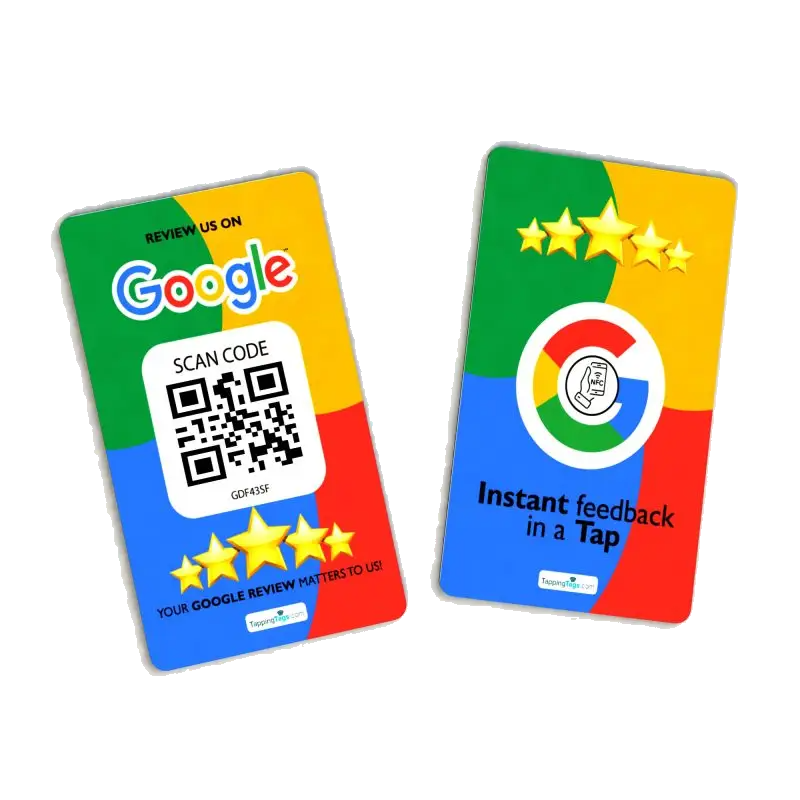
TappingTags makes NFC and QR cards, tags and stands that open your configured review page with a tap or a scan. So setup here is short and practical: deciding the destination the product should open, and getting the product sitting where customers will actually use it.
That matters because it changes what you need to prepare. You are not briefing an agency on a campaign - you are confirming one link, one format and one spot on your counter.
Know your review destination before anything else
Every card, tag and stand points at a destination you configure. The single most useful thing you can do before asking for setup guidance is to have that link ready and tested in your own phone's browser.
If you are not sure how to get a clean link to your Google review page, use the google review link generator first, then keep the result in your notes. Tap it once yourself. If it opens the right review page for your business, you are ready.
Have these five things ready before you get in touch
- Your review destination - the exact link you want a tap or scan to open.
- The format you want - card, acrylic tag or acrylic stand, and roughly how many.
- Where it will live - counter, reception desk, treatment room or point of service.
- Who will offer it - the person at the till or the chair who will actually invite the tap.
- Your business details - name, address and contact details, so the destination is confirmed rather than guessed.
With those five answers in hand there is very little left to work out, and nothing about your setup has to be unpicked later.
Pick the format that suits your counter
Setup is simpler when the product matches the space it has to sit in. Three broad choices cover most local businesses:
- A card - the NFC and QR card is handed to the customer or left on the table, which suits servers, stylists and work done away from a fixed counter.
- An acrylic tag with a sticker - fixes to a surface where customers already stand, wait or pay.
- A stand - the google review stand holds its position on a counter or reception desk instead of being passed around.
If you want to compare formats side by side before you ask anything, browse the full range of google review tap cards and note which one fits your layout.
Understand how NFC and QR actually behave
NFC opens the link on compatible phones when a customer holds their handset near the card, tag or stand. Not every phone taps, and on some the feature is switched off, which is exactly why the printed QR code is there.
Treat the QR code as a proper fallback rather than an afterthought. A customer who cannot tap can scan instead, and a customer who would rather not do either can simply be given the link another way. Knowing this before you order prevents a confusing first shift.
Be clear about what the product does not do
This is the part worth settling before you spend anything. A tap-or-scan product shortens the distance between a satisfied customer and your review page. It does not write, filter or submit anything on their behalf.
- Customers stay in control - nothing posts without the customer's approval, and they choose whether and what to write.
- No review or ranking promises - reviews, ratings, traffic and search positions are not something any supplier can promise, and TappingTags does not.
- No platform affiliation - TappingTags is an independent product maker and is not affiliated with Google or any review platform.
Questions worth asking before you commit
- Which destination will the product open, and can it be changed later if I move platforms?
- Which format suits my space - handed over, stuck down, or standing on the counter?
- What happens for a customer whose phone does not support tapping?
- Is there anything recurring to pay? For the physical product the answer is no - it is a one-off purchase, no subscription required.
- How many do I need for the number of staff and service points I actually run?
Plan the placement before the product arrives
Most of the value of setup guidance is lost if nobody knows where the card or stand goes. Pick the exact spot now: the till where you take payment, the reception desk where guests check out, or the chair where the appointment ends.
Then agree the one sentence your team will say when they offer it. A tap only happens if someone invites it, and that invitation is the part no product can do for you.
Ready to get your setup right first time?
Bring your destination link, your chosen format and your placement, and the rest is straightforward. Call TappingTags on +1 954-621-2381, email [email protected], or start by comparing formats in the shop.
Frequently Asked Questions
Have your chosen review destination link, the format you want (card, acrylic tag or stand), and the spot it will sit in - counter, reception desk or point of service.
No. The physical product is a one-off purchase and no subscription is required for it.
NFC opens your link on compatible phones, and the printed QR code works as the fallback for phones that do not tap. That is why most counters rely on both.
No. Customers control whether and what they post, and nothing posts without the customer's approval.
No. The product makes your review page easier to reach, and whether a customer leaves feedback is always their own choice.