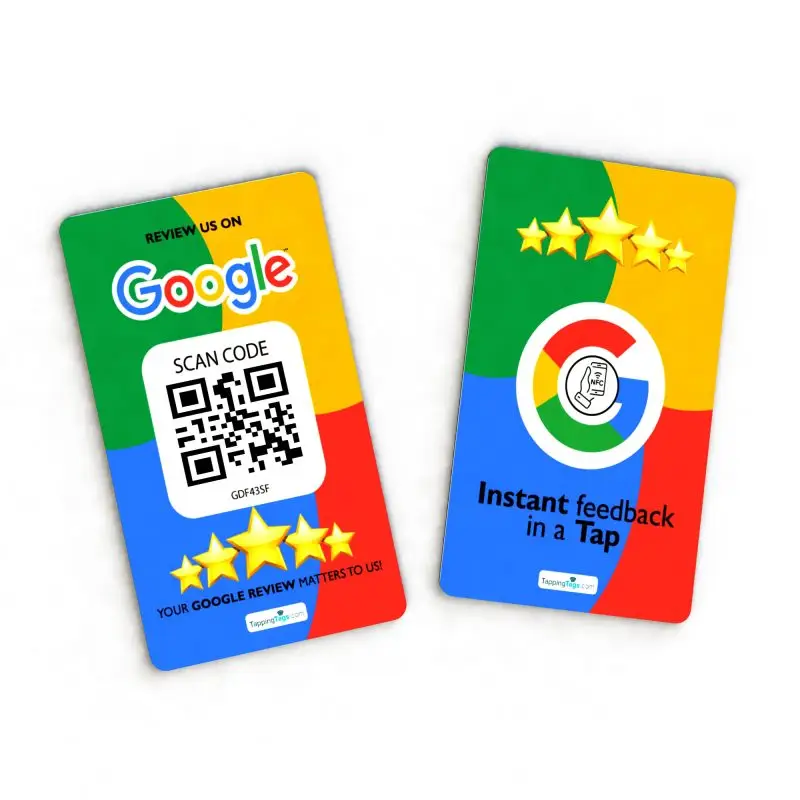
How do you collect customer reviews when there’s no internet access? In today’s digital-first world, it seems impossible—but it’s not. Tapping Tags, a pioneer in NFC technology, has revolutionized offline customer engagement with their Google Review NFC cards. These cards allow businesses to gather feedback instantly, even in areas with limited or no connectivity.
The answer lies in Near Field Communication. Tapping Tags’ Google Review NFC cards work by storing a direct review link that activates when tapped by a smartphone. No apps, no Wi-Fi—just a simple tap to collect valuable feedback. This article explores how businesses can use this tool to boost reviews, enhance SEO, and grow their reputation without relying on internet access.
But NFC cards aren’t the only way to gather offline reviews. Experts like Neil Patel emphasize the power of creative, tech-enabled feedback systems in building trust. So, if you’re ready to discover smart, internet-free methods to collect reviews, let’s dive into the world of offline customer engagement that actually works.
Understanding the Importance of Offline Reviews
Customer feedback remains a powerful tool, even without an internet connection. Reviews help shape first impressions and influence buying decisions. When customers share their experiences offline, businesses gain valuable insights and build stronger relationships. These reviews also act as social proof, boosting credibility and trust among potential buyers.
According to a BrightLocal survey, 87% of consumers read reviews for local businesses. Offline reviews, such as handwritten notes or in-person testimonials, can be just as persuasive. They often lead to word-of-mouth referrals, which drive foot traffic and repeat business. In small communities, a single positive review can significantly impact a brand’s reputation.
Offline reviews also support local marketing efforts. They provide authentic content that can be shared later online or displayed in-store. For example, a boutique that collects customer feedback on paper cards saw a 20% increase in return visits within three months.
To learn more about how to enhance your brand’s visibility, visit our about page. For tools that help you gather feedback effectively, explore our shop.
Identifying Scenarios Where Internet Access is Limited
Remote areas often lack reliable internet connectivity. Rural communities, for instance, may experience weak signals or no service at all. Trade shows and conventions can also present challenges due to overcrowded networks. Similarly, mobile businesses like food trucks or pop-up shops frequently operate in zones with limited or no access.
In these scenarios, businesses struggle to collect customer feedback in real time. Digital review platforms become inaccessible, making it hard to capture valuable insights. Without immediate input, companies miss opportunities to improve services or address concerns promptly.
Moreover, delayed reviews can reduce authenticity and impact credibility. Customers may forget details or lose interest in sharing their experiences later. This gap creates a pressing need for offline review solutions.
To stay competitive, businesses must adapt. Implementing tools that work without internet access ensures continuous feedback collection. For example, NFC-enabled products from TappingTags offer seamless offline engagement. These tools allow businesses to gather reviews instantly, even in low-connectivity areas.
Understanding these limitations is crucial. Explore how TappingTags supports businesses in overcoming such challenges.
Preparing to Collect Offline Reviews
Start by defining clear goals for your offline review strategy. Decide how many reviews you want and by when. Next, identify key customer touchpoints—checkout counters, waiting areas, or after-service moments work best. These are ideal opportunities to request feedback.
Equip your team with the right tools. Use printed feedback forms or tablets with offline apps to collect responses. Feedback cards with QR codes can also guide customers to leave reviews later when online. Make sure all materials are branded and easy to understand.
Train your staff thoroughly. Teach them how to approach customers politely and confidently. Provide a simple script to follow, ensuring consistency across interactions. Role-playing exercises can boost their comfort and effectiveness.
Encourage staff to ask at the right moment—when the customer is most satisfied. Reinforce the importance of tone, timing, and body language. Regularly review performance and adjust strategies as needed.
For more insights into our approach, visit our about page or reach out through our contact-us form.
Methods for Collecting Reviews Without Internet Access
Paper feedback forms remain a reliable option. They’re easy to distribute and require no tech setup. However, they demand manual data entry, which can be time-consuming. To boost responses, keep questions short and offer a small incentive.
SMS-based systems allow users to text their feedback, storing data for later upload. This method is quick and familiar to most users. Yet, it depends on mobile signal strength and may limit response length. Use clear instructions and shortcodes to simplify the process.
Offline survey apps like SurveyMonkey’s offline mode or QuickTapSurvey work well on tablets. They offer structured data collection and sync once online. The downside is the need for device management and occasional software updates. Train staff to assist users and ensure devices stay charged.
Voice or video testimonials add authenticity. They capture emotion and detail, ideal for marketing. However, they require consent and storage space. Set up a quiet area and guide users with prompts.
Kiosk stations with offline capabilities are perfect for high-traffic areas. They’re engaging and efficient but need regular maintenance. Place them near exits and use eye-catching signage.
For more tools to enhance your offline strategy, explore our shop or learn more about our solutions.
Designing Effective Offline Review Forms
Creating user-friendly offline review forms starts with simplicity. Use a clean layout with clear instructions to guide users. Avoid clutter and stick to essential questions only. Incorporate a mix of rating scales and open-ended prompts to gather both quantitative and qualitative feedback. For example, a 1–5 star rating followed by “What did you enjoy most?” works well.
Keep the form short—no more than five questions. This increases the chances of completion. Use large fonts and checkboxes for ease of use, especially in low-light or fast-paced environments. Add a thank-you note at the end to show appreciation and encourage participation.
Tailor templates to your industry. A restaurant might ask about food quality and service speed. A retail store could focus on product variety and staff helpfulness. For more inspiration, visit our shop or learn more about how we support businesses offline.
Always test your form with a few users before full rollout. Their feedback can highlight confusing sections or missing elements. A well-designed form not only collects reviews but also enhances customer experience.
Storing and Managing Offline Reviews
Once you’ve gathered reviews offline, secure storage becomes essential. Use encrypted USB drives or password-protected devices to prevent unauthorized access. Always back up data in at least two locations to avoid loss. When you’re ready to digitize, start by organizing feedback in a structured spreadsheet. Include fields like date, customer name, and rating for easy sorting.
For more advanced management, consider using a CRM system. These platforms streamline data entry and allow for future integration with online tools. They also help track customer interactions and follow-ups efficiently.
Privacy is critical when handling personal information. Avoid collecting unnecessary data and ensure all stored information complies with local data protection laws. Limit access to only trusted team members and regularly update security protocols.
To learn more about how we prioritize data safety, visit our about page. If you need help choosing the right tools, feel free to contact us. Keeping offline reviews secure and organized ensures a smooth transition when you’re ready to go digital.
Uploading and Publishing Offline Reviews
Begin by collecting all offline reviews in a digital format. Use a spreadsheet or word processor to organize them clearly. Ensure each review includes the customer’s name, date, and feedback. Before publishing, always request written or verbal consent. A simple signed form or recorded agreement works well.
Once you have consent, choose the right platforms. Prioritize Google, Yelp, and your company’s website. These channels offer high visibility and credibility. For your website, consider adding a dedicated testimonials section. You can also feature reviews on product pages or blog posts.
When uploading, format reviews for clarity. Use quotation marks and break long paragraphs into shorter ones. Highlight key phrases or benefits mentioned by customers. This improves readability and impact.
To maintain authenticity, avoid editing the original message. Only correct obvious typos or grammar issues. For more ways to showcase reviews, explore our shop or learn more about how we help businesses grow. Keep your review section updated regularly to build trust and engagement.
Encouraging Customers to Leave Offline Reviews
Train your staff to ask for feedback at the right moment—ideally after a positive interaction. A simple, friendly request can go a long way. Use phrases like, “We’d love to hear your thoughts,” or “Your opinion helps us improve.” Keep it short, sincere, and personal.
Offer small incentives to encourage participation. A discount on the next visit or a free sample can motivate customers to share their experience. Tie these rewards into your loyalty program to build long-term engagement.
Follow up with a thank-you note or a printed feedback form. Include a QR code that stores the review offline until it syncs later. This keeps the process simple and accessible.
Make sure your team is consistent. Use a script like, “If you enjoyed your visit, would you mind filling out a quick feedback card?” This keeps the tone polite and professional.
For more tips on improving customer engagement, visit our About page. To explore tools that support offline feedback, check out our shop today.
Measuring the Impact of Offline Reviews
Tracking offline reviews requires a structured approach to gather actionable insights. Start by logging each review manually or using a digital spreadsheet. Assign identifiers like date, location, and customer name to track patterns. This helps you measure the volume and frequency of feedback over time.
Key performance indicators (KPIs) to monitor include the total number of reviews collected, average customer satisfaction scores, and recurring themes. These metrics reveal how well your offline strategy performs and where improvements are needed.
Use the insights to refine your offerings. For example, if multiple reviews mention slow service, consider staff training. If customers praise a specific product, promote it more prominently in-store or on your shop page.
Additionally, compare offline feedback with online reviews to identify consistency. This cross-analysis strengthens your understanding of customer expectations. Don’t overlook the value of face-to-face feedback—it often provides more context than digital comments.
To stay aligned with your brand’s mission, revisit your company values on the about page. This ensures your improvements reflect your core identity and customer promise.
Common Mistakes to Avoid When Collecting Offline Reviews
Using vague or confusing feedback forms often leads to incomplete or unusable responses. Always keep questions clear, concise, and easy to understand. Avoid using technical jargon or overly complex language. Another common mistake is failing to follow up with customers after collecting their input. Without a simple thank-you or acknowledgment, customers may feel ignored and less likely to participate again.
Poor data handling is another major issue. Storing handwritten reviews without digitizing them can result in lost or unreadable feedback. Instead, use a structured system to transfer offline reviews into a secure digital format. For example, a local café once collected paper reviews but never organized them. As a result, they lost valuable insights and repeat business.
To prevent these issues, train staff on how to guide customers through the review process. Offer clear instructions and ensure forms are always available. For more tools and solutions, visit our shop or learn more about how we help businesses streamline feedback collection.
Frequently Asked Questions (FAQs)
Looking for tools to gather reviews offline? Use printed feedback cards, SMS-based surveys, or mobile apps with offline modes. To verify authenticity, include customer names, dates, and purchase details. Yes, you can upload offline reviews to platforms like Google or Yelp—just ensure transparency and consent. Always ask for written permission before publishing any customer feedback.
To digitize handwritten notes, scan them or use OCR (Optical Character Recognition) tools for quick conversion. Be aware of privacy laws and data protection regulations when collecting offline feedback. Collect reviews regularly—ideally after each transaction or service experience.
If customers hesitate to fill out forms, offer small incentives or simplify the process. Train your staff with clear scripts and role-playing exercises to make the request natural and effective. Offline reviews can still boost your local search rankings when added to your website or business listings.
For more support, visit our contact page to connect with our team.