
NFC Review Tag vs QR Code Sign: Coconut Creek
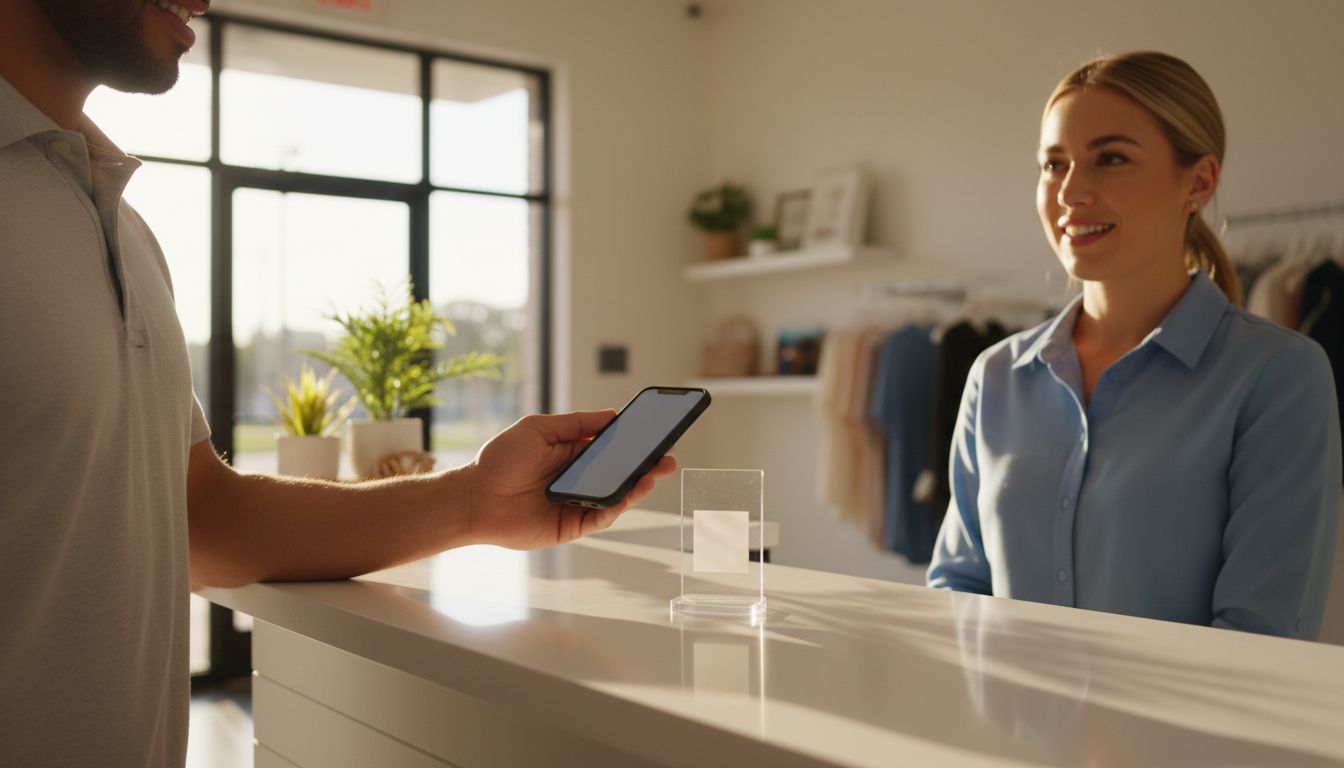
If you run a shop, salon, clinic, or service business in Coconut Creek, the practical difference comes down to one thing: an NFC review tag is something a customer taps their phone against, and a QR code sign is something a customer points their camera at from a few feet away. Both open the review page you configured. The tap is faster at arm's length, and the scan reaches people who are standing back, walking past, or looking at a menu. Which one is right depends less on the technology and more on where the conversation with your customer actually happens.
- NFC = contact. The customer touches their phone to the tag, with no camera app and no aiming.
- QR = distance. It works from a few feet away on virtually any phone with a camera, including older handsets.
- Most phones from the last several years read NFC tags automatically; a few older phones do not, which is exactly where the QR code earns its place.
- Counter handoff favours the tag. Windows, walls, menus, and printed receipts favour the sign.
- Both only open your review page. The customer still writes and submits the review themselves.
The short answer: a tap versus a scan
An NFC tag holds a tiny chip. When a phone with NFC switched on comes within touching distance, the phone reads the chip and offers to open the link stored on it. There is nothing to launch and nothing to line up.
A QR code is a printed pattern. The customer opens the camera, frames the code, and taps the notification that appears. It takes a few seconds longer, but it works on a far wider range of phones and from across a counter or a table.
NFC review tag vs QR code sign at a glance
Here is the comparison most Coconut Creek owners are actually looking for when they land on this page:
| What matters | NFC review tag | QR code sign |
|---|---|---|
| How it starts | Customer taps the phone against the tag | Customer opens the camera and scans |
| Phone compatibility | Most phones from recent years, with NFC enabled | Virtually any phone with a working camera |
| Working distance | Touching, or very close to it | Roughly a few feet, with a clear line of sight |
| Best placement | Counter, reception desk, or handed over in person | Window, wall, menu, table tent, printed receipt |
| Light and angle | Unaffected by glare or dim lighting | Needs reasonable light and an unobstructed view |
Where each one fits in a Coconut Creek business
Think about the moment you would actually ask. If a stylist, technician, or front-desk person is standing right next to the customer at checkout, the tap wins, because you can slide a card or stand across the counter and the whole thing is over in a second.
If the customer is seated, queueing, or already heading out the door, the scan wins. A few local patterns worth matching:
- Salons and barbers: a tag at the payment station, while the client is settling up and still happy with the result.
- Restaurants and cafes: a scan on the table or the bill folder, where nobody has to reach across anything.
- Auto repair and home services: a tag carried in the van or at the service desk, used during handover.
- Clinics and reception areas: a sign in view of the waiting seats, plus a tag at the desk for the actual ask.
Why Coconut Creek owners compare these two
Most businesses here already know that asking in person is the part that works. What stops it is friction: spelling out a link, fumbling for the right listing, or asking a customer to search for you while they stand there. Both formats exist to remove that step.
The second reason is footfall mix. A business with steady walk-in trade and a counter conversation leans NFC. A business with signage, menus, or printed paperwork doing the work leans QR. Plenty of Coconut Creek operators are somewhere in the middle, which is why combined NFC and QR products exist at all. If the scan route fits your setup, see QR code review cards in Coconut Creek and who sets them up.
What neither one does
This is worth being blunt about. A tag or sign opens your review page. It does not write, submit, or post anything on the customer's behalf, and nothing is published without them choosing to publish it. No product can promise you a certain number of reviews, a particular star rating, or a position in search results, and you should be wary of anyone who says otherwise. TappingTags is an independent product and is not affiliated with Google.
Get the destination right before you pick the hardware
Whichever format you choose, it is only as good as the link behind it. Use the google review link generator to build the direct review link for your listing, then test it on a phone before you put anything on the counter. A tag pointing at the wrong listing fails in exactly the same way a sign does.
So which should you buy?
For most Coconut Creek businesses, the honest answer is both, in one item. A combined nfc google review card gives you the tap for modern phones and the scan as the fallback, so you are never stuck explaining why it did not work.
If your ask happens at a fixed spot, a google review stand sits on the counter and stays visible. If you want something you can mount to a till, a door, or a toolbox, an nfc google review tag is the simpler choice. Pick the one that matches where you already talk to customers, configure it to your review page, and start asking.
Frequently Asked Questions
Neither is better overall. An NFC tag is faster when you are standing next to the customer at a counter or handing something over. A QR code sign is better at a distance and works on virtually any phone with a camera, including older handsets that do not read NFC.
No. Most phones from the last several years read NFC tags once NFC is switched on, but some older phones do not. That is the main reason many businesses choose a product with both NFC and a printed QR code, so there is always a fallback.
No. The tag or sign only opens the review page you configured. The customer writes the review themselves and decides whether to submit it. Nothing is posted without their approval.
If most of your asks happen at checkout or reception, a stand or card on the counter is the practical choice, since staff can slide it across while the customer is still with them. Wall or window placement suits businesses where customers are seated or passing by.
The physical product works without one. It is configured to open your chosen review page, and it keeps doing that each time someone taps or scans it.

